The Drop · August 18, 2026
Free music video maker: what a browser tool does and where it stops
Search for a free music video maker and you get two different products wearing the same label. One writes footage for you out of a text prompt. The other hands you a timeline and a watermark. This site is neither, and the gap between them is worth five minutes before you upload a track anywhere.
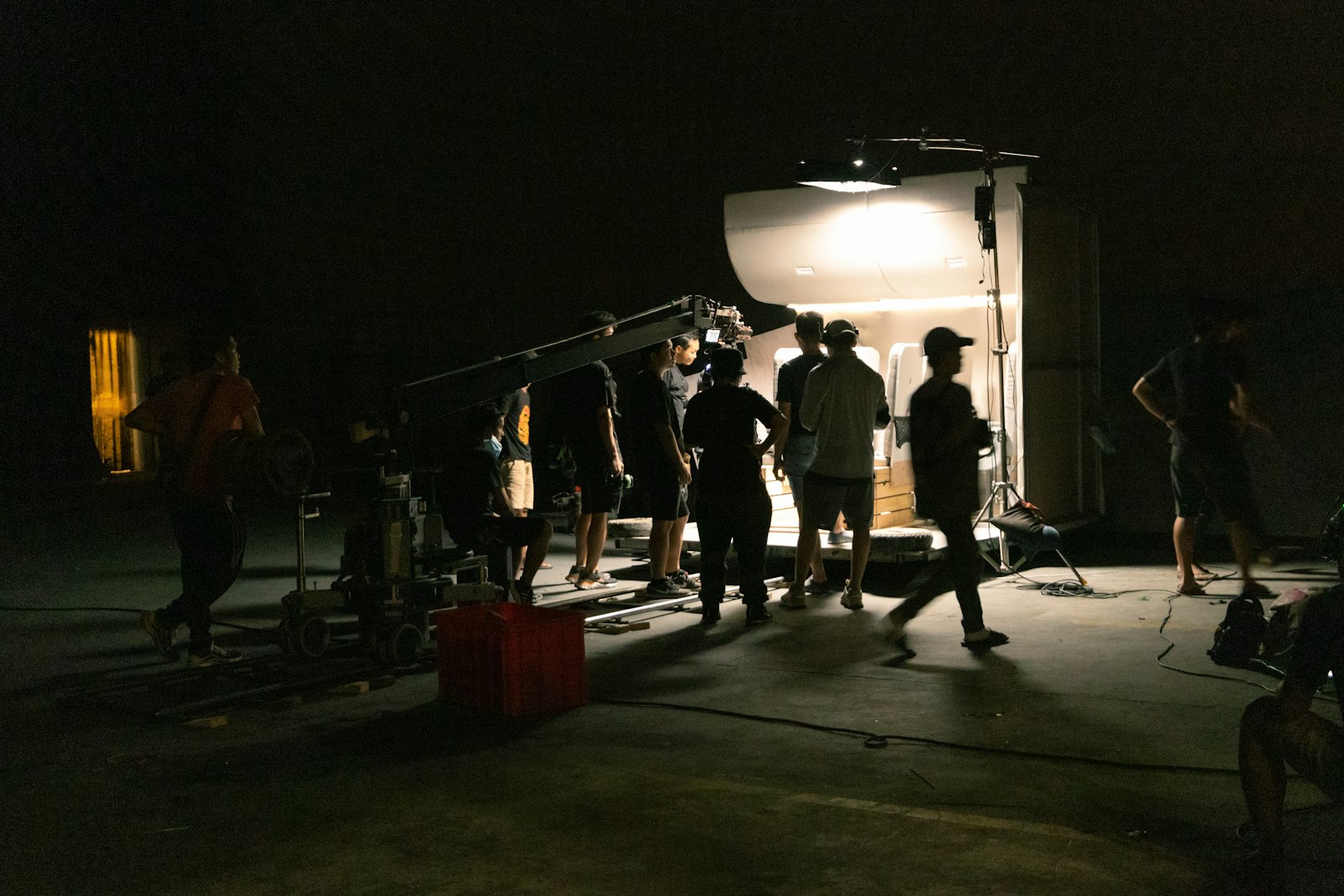
Photo via Unsplash
Nobody in this category lies exactly. They just let the word free do a lot of quiet work. Here is what it usually means, then what happens when you point a browser at an audio file instead.
What free means on the tools you will find first
Three shapes, and they are genuinely different.
Free with a mark on it. Kapwing's own pricing page lists its free plan as "Unlimited exports with a watermark", videos "up to 4 minutes long", and "720p video quality". That is a real editor you can use all day, but the output carries their logo and lands under 1080p, and removing the mark is what the paid tier sells.
Free until you want the file. The AI generators mostly run on credits. Rotor Videos, to pick one that publishes its numbers, prices a music video at 3 credits on its pricing page, a Spotify Canvas at 1 and a lyric video at 4, sold in bundles of 5, 10 and 50, with the site describing video content starting at $5.99 a credit. You can play for nothing. The render is the part you buy. Prices move, so read the vendor's own page rather than a roundup, including this one.
Actually free. Some of them just are. Clipchamp's pricing page says the free plan includes "Watermark-free video exports" at up to 1080p. The catch there is not money, it is labor: you still have to cut the video yourself, clip by clip.
So the honest question is not which music video maker is free online. It is which kind of unpaid work you would rather do, and what you are willing to put your name on.
What this one does with a track
Drop an audio file in and the browser decodes it locally. No upload, no server, no account, no queue. Your unreleased demo does not leave the machine, which is a smaller point on a finished single and a large one on a rough mix.
Two things then read the audio. A tempo pass runs once when the file loads and scans the first minute for a stable BPM. A live detector watches the low bins frame by frame and fires on each hit, so the picture changes on the beat rather than on a timer. Text lines, uploaded images and generated shapes take turns on that grid, and there is a separate detector for the section where the bass sustains, which is what drives the glitching and the shaking when a drop lands. The detection post pulls that apart properly.
The rest is settings: 50 display fonts, palettes, effects like invert and RGB split and zoom punch, overlays for grain and spectrum geometry, and per drum image triggers so cover art can land on the snare. Hit RENDER and it captures a 1080p file with the audio muxed in. No watermark, no signup, no export limit, because there is no account to limit.
The part nobody mentions: it renders in real time
The recorder captures the canvas while the track plays. A four minute song takes four minutes, and the tab has to stay in front the whole time. Minimise it or switch away and the browser stops drawing frames while the audio keeps rolling, which gets you a video that is frozen with sound underneath.
That is the trade for having no server. Nothing waits in a queue behind other people's jobs, nothing costs a credit, and nothing gets rate limited at midnight. You pay in attention instead, once, for the length of the song.
Where it stops
The useful part of any tool review is the list of things it hands back to you:
- It does not invent footage. There is no prompt box. You bring cover art, photos or nothing at all, and text and shapes carry the frame if you bring nothing.
- There is no timeline. You cannot say "cut here at 1:12". You set the rules and the audio decides. Great when the track has momentum, wrong when you had a specific edit in your head.
- No lyric sync and no captions. Lines rotate on the beat, not on the word, which is a different thing from a lyric video and worth knowing before you pick.
- One flat file. 1080p WebM, one layer, sound baked in. No transparency, no 4K, no project you can reopen later. If a platform wants an MP4, the export guide has the single ffmpeg line, and the container post covers who accepts what.
- No grading, no keyframes, no masks. Effects are global and reactive. Nothing is animated by hand.
- It will not tell a story. No performance, no location, no faces, no narrative. The photo at the top of this page is a crew of a dozen people making one of those, and that is still what it takes.
Which one to reach for
Pick by the missing piece, not by the price.
Need a face, a place and a story: shoot it. Need footage you do not have and cannot film: that is what the AI generators are for, and the credit maths above is the real cost. Need to assemble clips you already own into a proper edit: a browser editor does that, and one of them will do it without a watermark. Need a video today for a track, a beat or an instrumental, where the music is the whole point and the visuals should move with it: that is this, and it is the narrowest of the four jobs by a distance.
The five minute version
- Open the visualizer and drop in the audio.
- Type a few short lines, or leave the box empty and let images and shapes carry it.
- Add cover art or photos, and set an image role if you want a specific one on the kick or the snare.
- Pick an effect and a palette, then set how often the content changes against the beat.
- Press RENDER, leave the tab in front for the length of the track, and a WebM lands in your downloads.
One caution that belongs on every page here. The default look flashes hard, and fast flashing can trigger seizures in people with photosensitive epilepsy. WCAG 2.3.1 asks for no more than three flashes in any one second, most tracks push past that, and the strobe guide covers how to keep it watchable and what to write in the caption. Flicker opacity at zero and a slow change rate turns the whole thing calm if that is what the track wants.
That is the entire pitch. Free, in the browser, no watermark and no signup, on a job small enough that free is not hiding anything.
Try it on a track
One audio file, one render, a 1080p video that cuts itself to the beat. No account, no credits, nothing uploaded.
Open the visualizer